
Managing Support Tickets
To manage support tickets, go to the Manage > Support Tickets to open the Support Tickets panel..

Creating support tickets
To create a support ticket, click the “+” button in the top bar of the Support Tickets panel. The New Support Ticket dialog will open.
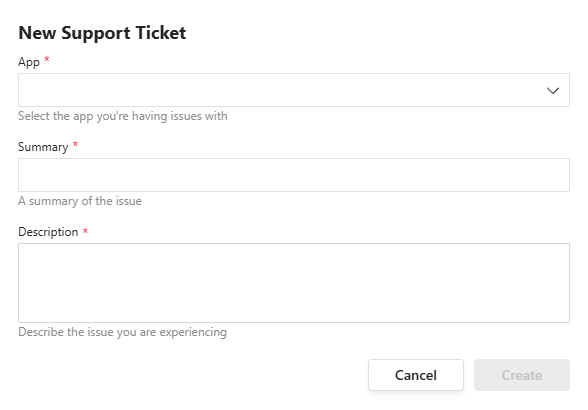
Select the App you are having an issue with, enter a short Summary of the issue, and then provide a detailed Description of the issue.
Click Create to submit the ticket.
Checking support tickets
To view a support ticket or add updates, click the Ticket ID in the Support Tickets panel. This opens the Ticket Details panel.
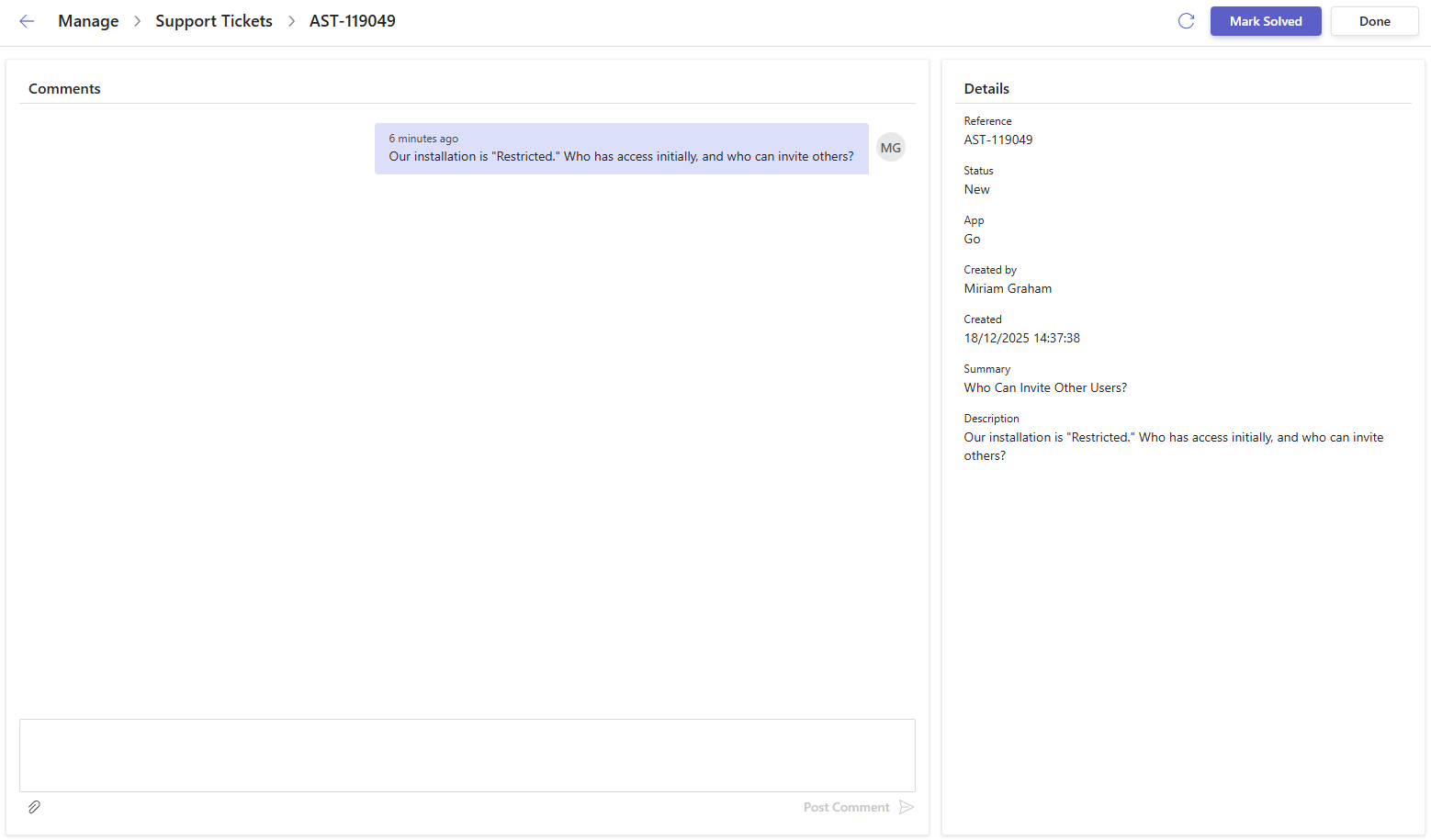
In the Ticket Details panel, you can:
- View the current status of the ticket
- Read and add comments
- Add attachments
- Mark the ticket as Solved when the issue is resolved
 ON THIS PAGE