
The Start step is a control step that marks the beginning of an formlet. It cannot be renamed or deleted, and each formlet can have only one.
On this step, you define Variables and Constants needed for the formlet. Variables can help ensure that triggers provide the correct data by mapping trigger data into variables and applying validation formulas. See how to add variables here
Constants are also set here. Unlike variables, constants hold values that do not change throughout the formlet. See how to add constants here.
Properties
Configurable properties
The Start step has no configurable properties.
System properties
The Start step has the following built-in properties:
| Property | Description | Datatype |
|---|---|---|
| AutomationId | A unique identifier assigned to the formlet | Text |
| AutomationName | The name of the formlet | Text |
| AutomationVersion | The version number of the formlet | Number |
| RunId | A unique identifier assigned to the formlet run | Text |
| RunNumber | A unique sequential number assigned to the formlet run | Number |
| StartedOn | The date\time the formlet run started | Datetime |
| StartedBy.Trigger | Identifies the name of the trigger that started the formlet | Text |
| StartedBy.Source | Identifies where the formlet was triggered from | List - "Teams", "Webhook", "Schedule", "Email", "Sms", "Web" |
| StartedBy.Person | Identifies the person who started the formlet | Person |
System properties are managed by GoForms and can be used in formulas to help you build your formlets more efficiently.
Variables
Variables often hold calculation results during the formlet or information copied from steps as the formlet runs.
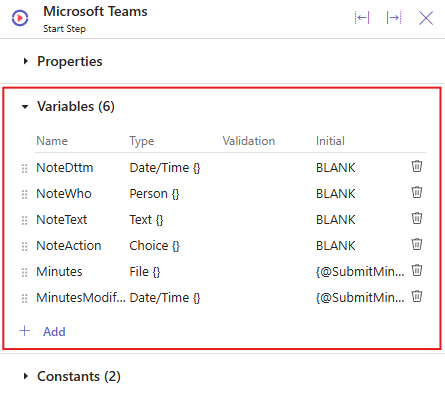
To learn how to add Variables, click here.
Constants
Constants hold information that remains unchanged throughout the formlet.
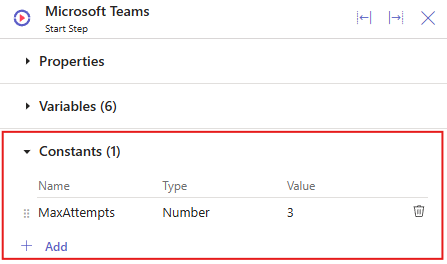
To learn how to add Constants, click here.
 ON THIS PAGE