
To manage billing & subscriptions, go to the Manage > Billing & Subscriptions.
Subscriptions
The Subscriptions tab shows all of your subscriptions, including trial subscriptions. It also displays key details such as the subscription start date, billing frequency, and next renewal date. You can view your monthly quota and current monthly usage here as well.
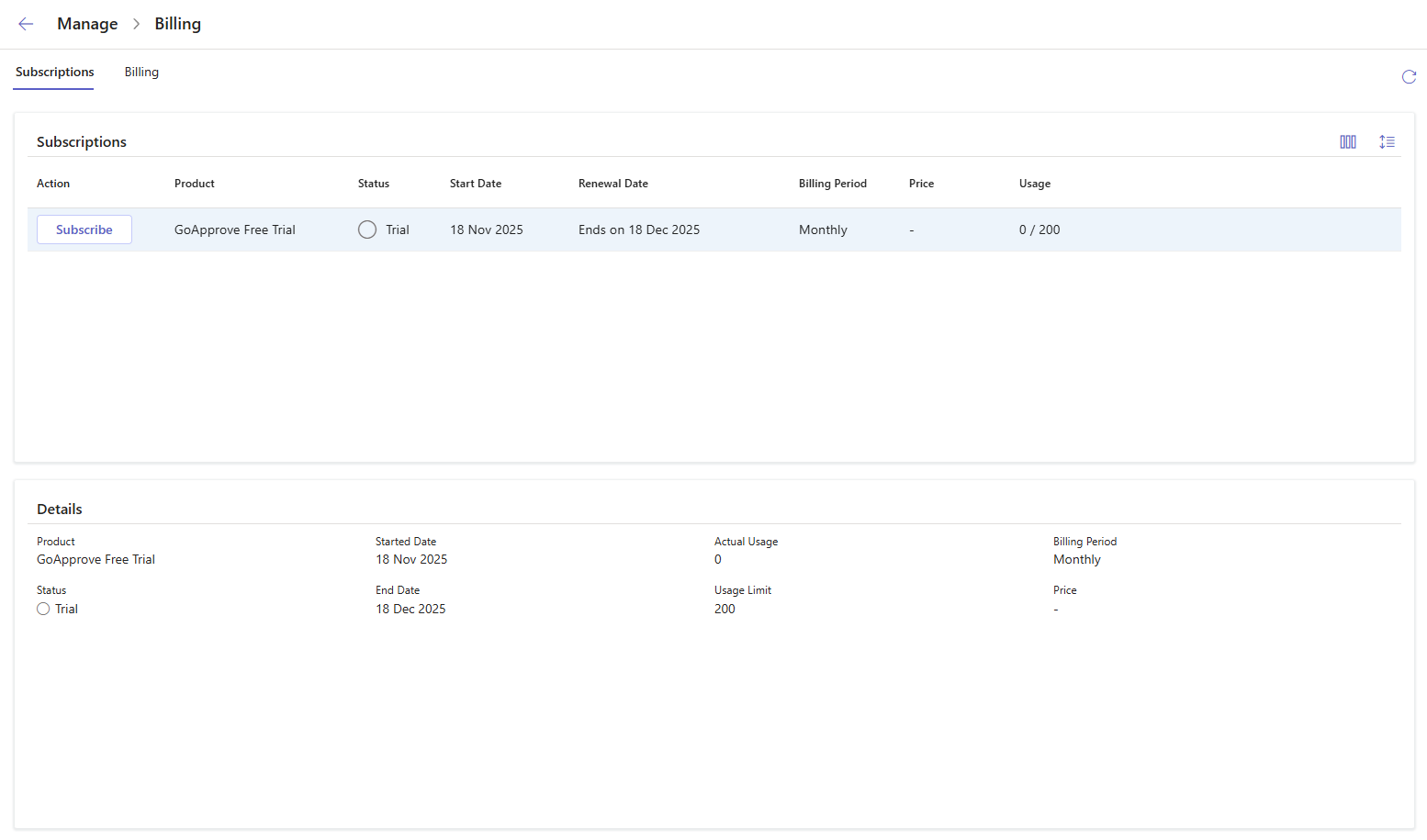
For a trial subscription, click Subscribe to choose and set up a plan.
For an active subscription, click Manage to update or cancel your subscription.
Billing
The Billing tab displays your Company Details and Invoices and Payments.
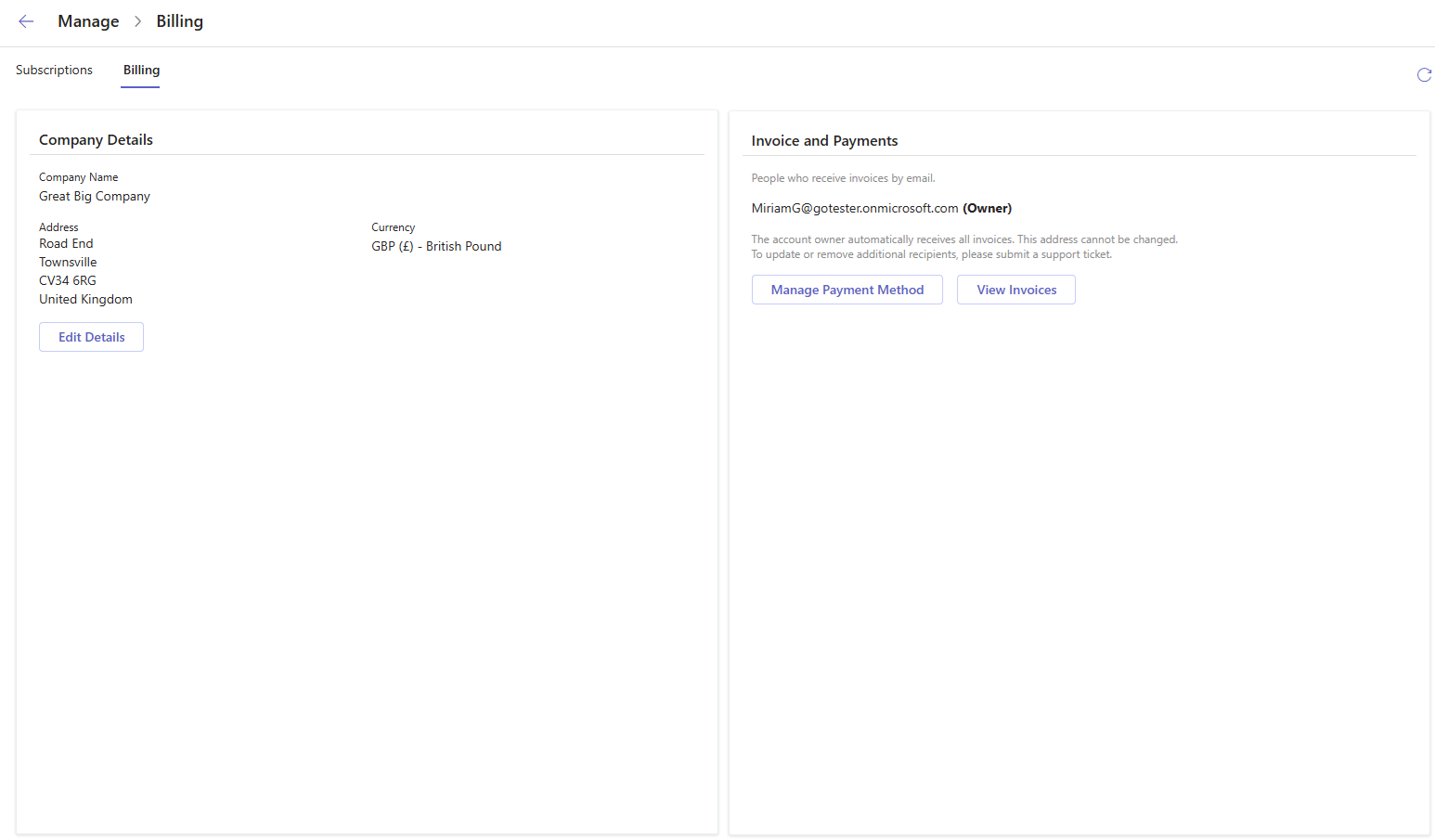
To update your company information, click Edit Details in the Company Details section.
To manage payment methods, click Manage Payment Method in the Invoices and Payments section.
To see past invoices, click View Invoices in the Invoices and Payments section.
 ON THIS PAGE