
Activity Completion formulas help you set how many people need to complete an Activity. When multiple completions are required, different people need to complete the same Activity. This is useful for situations where several people need to review or approve something. Each person's Output data will be recorded separately.
You can adjust the number of people needed based on specific conditions, like the value of certain data.
Let's learn how to create a completion formula:
Creating completion formulas
-
Open Flow Builder: Go to Manage > Approvals >
Name> View > Edit
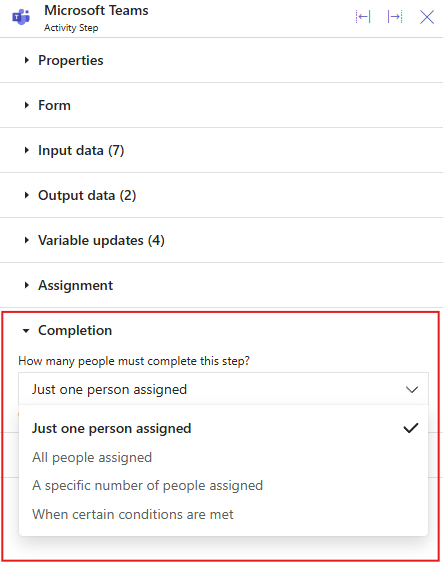
Select the Activity step and then click the Completion section to expand it.
-
In How many people must complete this step? drop-down, select When certain conditions are met. Then click the formula box to open a Formula builder dialog, where you can enter your formula.
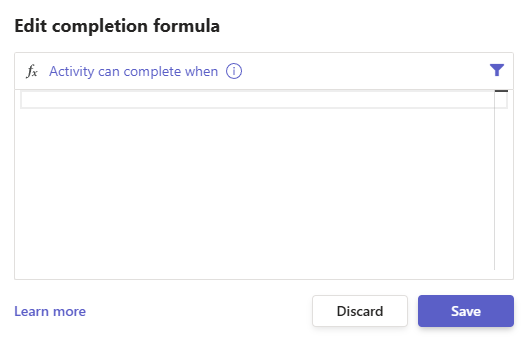
Completion Formula
The completion formula decides when an Activity is completed. The Activity is completed only when the formula returns TRUE.
The system checks the formula each time a person completes the Activity from the Inbox. If an expiry timer is set (using the Expire On property) and the timer expires, the system stops checking the formula and marks the Activity as expired.
The Formula Builder helps you create a formula that returns a logical value (TRUE or FALSE). If the formula does not return a logical value, the system displays an error.
To learn more about the Formula Builder, click here.
 ON THIS PAGE